SunRiser HA Integration
A community-made Home Assistant custom integration for the SunRiser 8/10 LED aquarium controller by LEDaquaristik.de.
This integration was reverse-engineered from the open-source SunRiser firmware and built by the community. It is not affiliated with or supported by LEDaquaristik.
Features
- Light — Dimmable control (0–100%) for each PWM channel configured as a light
- Switch — On/off control for PWM channels configured as on/off, plus a Maintenance Mode switch, a Time-lapse switch (runs the planner at accelerated speed for testing), and a DST Auto-track switch (keeps the device clock in sync with HA timezone DST changes)
- Select — Per-channel manager selector (
none,dayplanner,weekplanner,fixed) — shows and changes which planner controls each channel - Number — Per-channel fixed value slider (0–1000) used when the channel manager is set to
fixed - Sensor — DS1820 temperature sensors; weather simulation state per channel; diagnostic sensors for Uptime, Firmware Version, and Hostname
- Binary Sensor — Connectivity sensor that reports whether the device responded on the last poll cycle
- Button — Reboot button to restart the device directly from HA
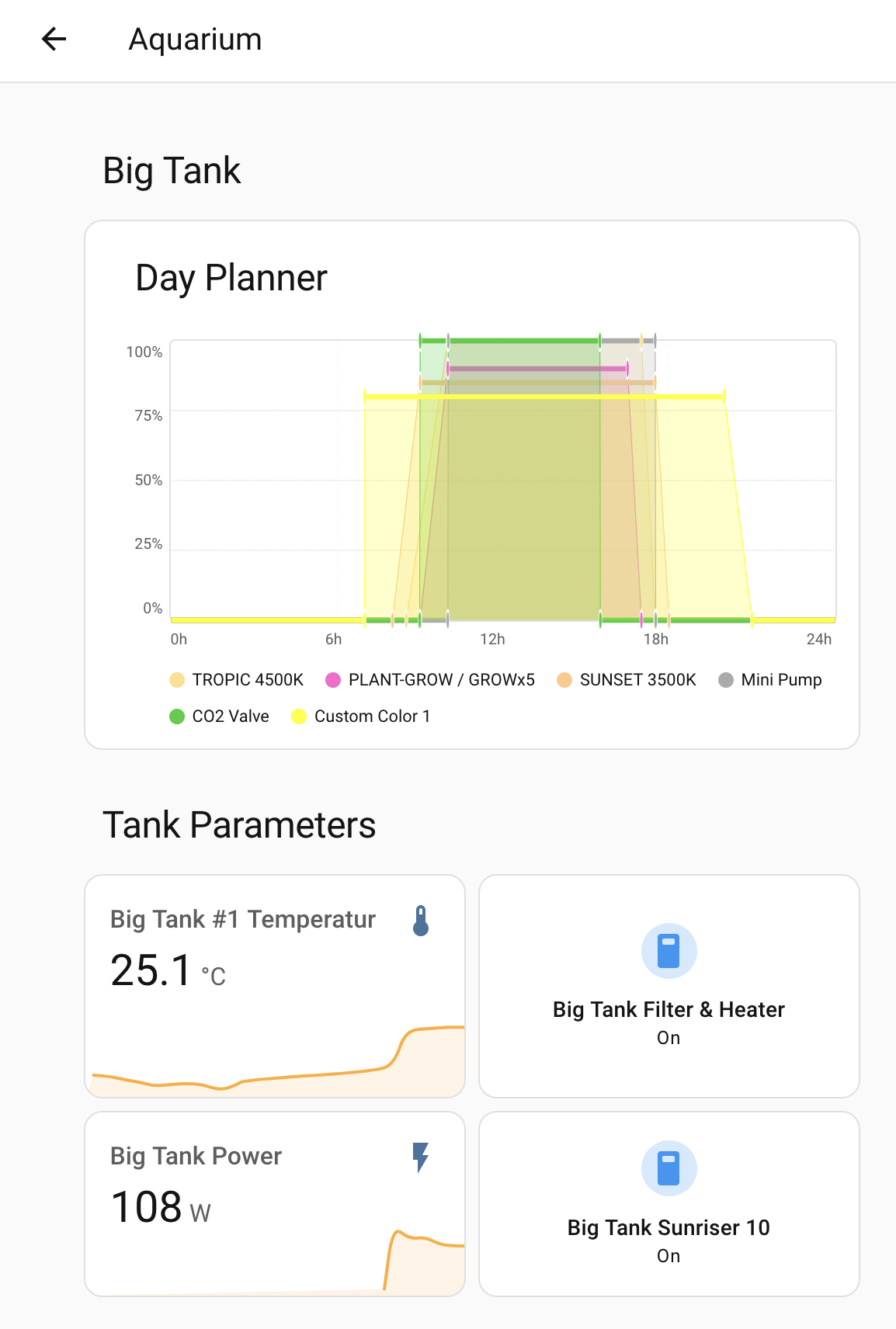
- Day Planner card — built-in Lovelace card that renders all active PWM schedules as a 24-hour chart using the same LED colours as the device web UI; registered automatically, no manual setup required; schedule data is cached at startup so page loads never hit the device
 - Services — Backup, restore, log retrieval, dayplanner/weekplanner read/write, and factory tools
- Options — Configurable poll interval (5–3600 s, default 30 s) and scheduled daily reboot (default 04:00) without re-adding the integration
- Auto-discovery of PWM channels and temperature sensors from the device
- "Visit device" link in the device page opens the SunRiser web UI directly from HA
- Services — Backup, restore, log retrieval, dayplanner/weekplanner read/write, and factory tools
- Options — Configurable poll interval (5–3600 s, default 30 s) and scheduled daily reboot (default 04:00) without re-adding the integration
- Auto-discovery of PWM channels and temperature sensors from the device
- "Visit device" link in the device page opens the SunRiser web UI directly from HA
Use cases
Tank temperature monitoring
Include the temperature on your aquarium dashboard alongside other tank sensors. Set an HA alert if the temperature drifts outside your safe range — useful as a backup check independent of any device-side alarms.
Voice control via Alexa
Expose the Maintenance Mode switch to Home Assistant Cloud (Nabu Casa), and Alexa will discover it as a smart home device. You can then say "Alexa, turn on tank maintenance mode" to pause the lighting program while you're working in the tank, and "Alexa, turn off tank maintenance mode" when you're done — no phone needed. Rename the entity in HA to something natural like "Tank Maintenance" so the voice command feels intuitive.
Current light state at a glance
The light and switch entities reflect the device's live PWM values, so you can see exactly what each channel is doing right now from your HA dashboard — whether the device is running a dayplanner, a weekplanner, or a manual override.
Config backup before changes
Before making changes to the device's schedule, call sunriser.backup from a HA script to snapshot the current config to your HA config directory. If something goes wrong, sunriser.restore sends the saved file back to the device.
Connectivity monitoring
The binary sensor tracks whether the SunRiser responded on the last poll. Add it to a dashboard or use it in an HA notification automation so you know immediately if the controller has crashed or lost network — before your lighting program silently stops running.
Key facts
- Protocol: MessagePack over HTTP/1.1 (no HTTP/2)
- Config keys use
#as separator, e.g.pwm#1#color - PWM range: 0–1000 (mapped to HA brightness 0–255)
- Direct state writes hold for ~1 minute before the device's own program resumes
- Polling is staggered: one HTTP request per tick — required because the WizFi360 Wi-Fi module can only handle one connection at a time